
Just in time for your holiday email campaigns, Direct Mail version 7.8 delivers a host of helpful A.I.-powered improvements that we hope you will love. Check out what’s under the tree:
A.I. Subject Line Suggestions
Engaging subject lines help your email stand out in a crowded inbox and make a huge difference in boosting open rates, but writing good subject lines is hard! Our new Suggest Subject feature reads your email and suggests a variety of different options for you to choose from (or further edit yourself). Our A.I. assistant has analyzed millions of email campaigns and is an expert in what makes a good subject line. Give it a try by choosing Optimize > Suggest Subject… from the toolbar.
Eagle-eyed readers will have spotted the Suggest Preview Text feature, as well. Preview Text (or a “pre-header”) is the short snippet of text that appears under or next to the subject line in your recipient’s inbox. It represents another opportunity to entice your recipient to open the email. The Suggest feature can give you great ideas for what to put in this space.
A.I. Proofreading
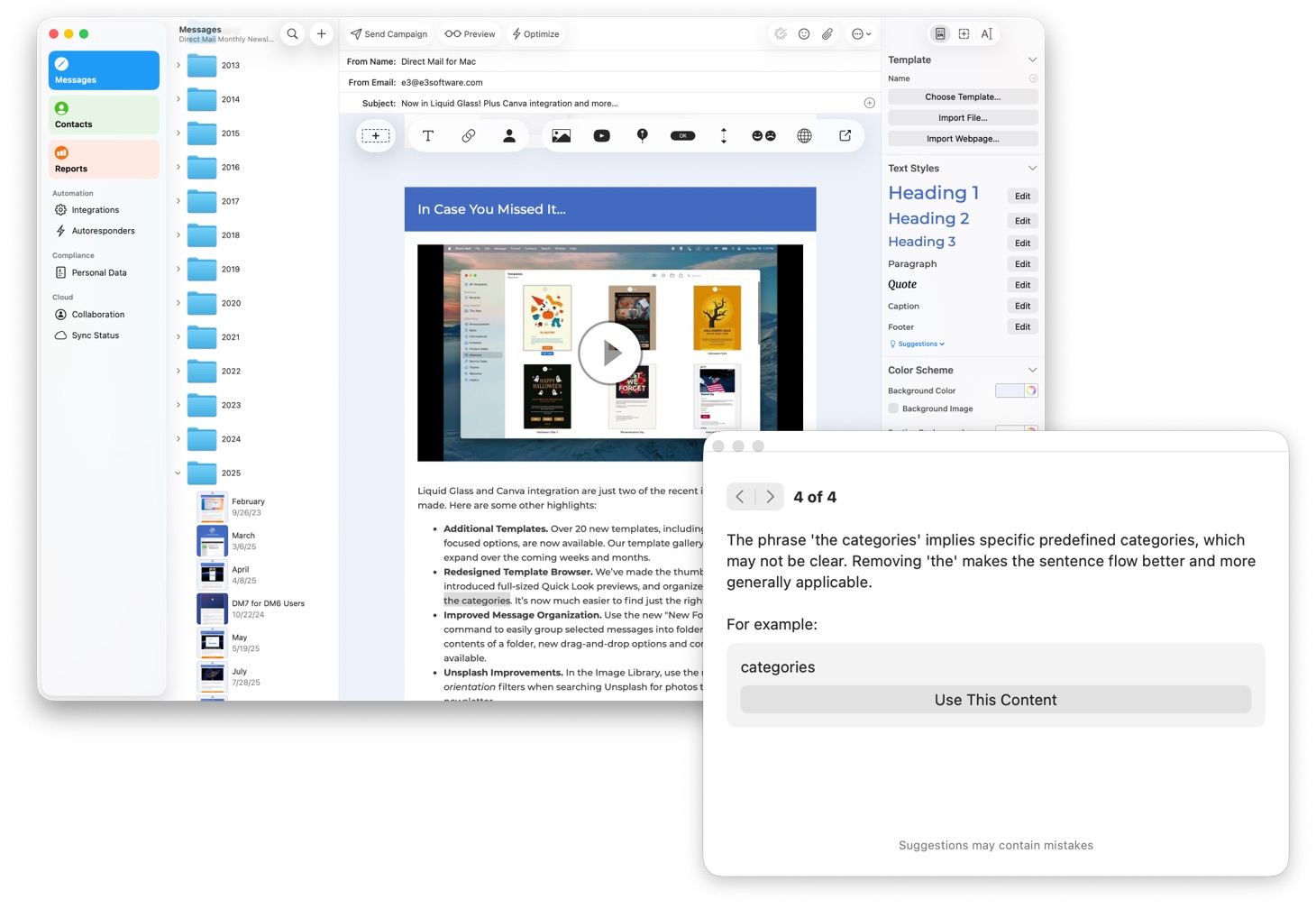
Ever wished for a second set of eyes to proofread your campaign before sending it out? Our Suggest Content Improvements feature reads your message and suggests ways it could be better. For example, it can catch spelling and grammatical mistakes, factual errors, and suggest adjustments to the tone or content of your message. As always, you stay in control and can accept or reject the various edits that are proposed.
Automatic Image Descriptions
The images that you use in your email can carry with them text descriptions, although most people usually forget to add them (we get it—it’s one more thing to remember!). However, there are some important benefits to adding in those descriptions:
- Blind or low-vision users often use screen-reading technology (like VoiceOver) to read their email. When a screen reader encounters an image with a description, it can read it to the user instead of leaving them guessing at what the image is.
- Some email clients do not display images by default for privacy, corporate policy, or data usage reasons. Text descriptions help your recipient understand the email even if the image is blocked.
- Some spam filters look for “red flags” to identify junk mail—like large images without any descriptions. Accurate descriptions lend credibility to your message and signal that you are a responsible sender.
In Direct Mail 7.8, you can now generate descriptions for your images with just one click. Select your image, then click the “Suggest” button in the inspector. An A.I. model analyzes the image and comes up with a concise description in just a few seconds.
Image Playground
Apple’s Image Playground is an A.I. feature available on newer Macs that lets you to instantly create playful, stylized illustrations and graphics based on simple text prompts or photos from your library. It can be a fun and effective way to quickly create unique, copyright-free images—such as a custom caricature of your team or thematic graphics—that add a human, creative touch to your newsletter without the cost or time required for professional design.
To use Image Playground, select an image or image placeholder in your email, then click the “…” button in the inspector and choose “Image Playground”.
Holiday-Themed Templates
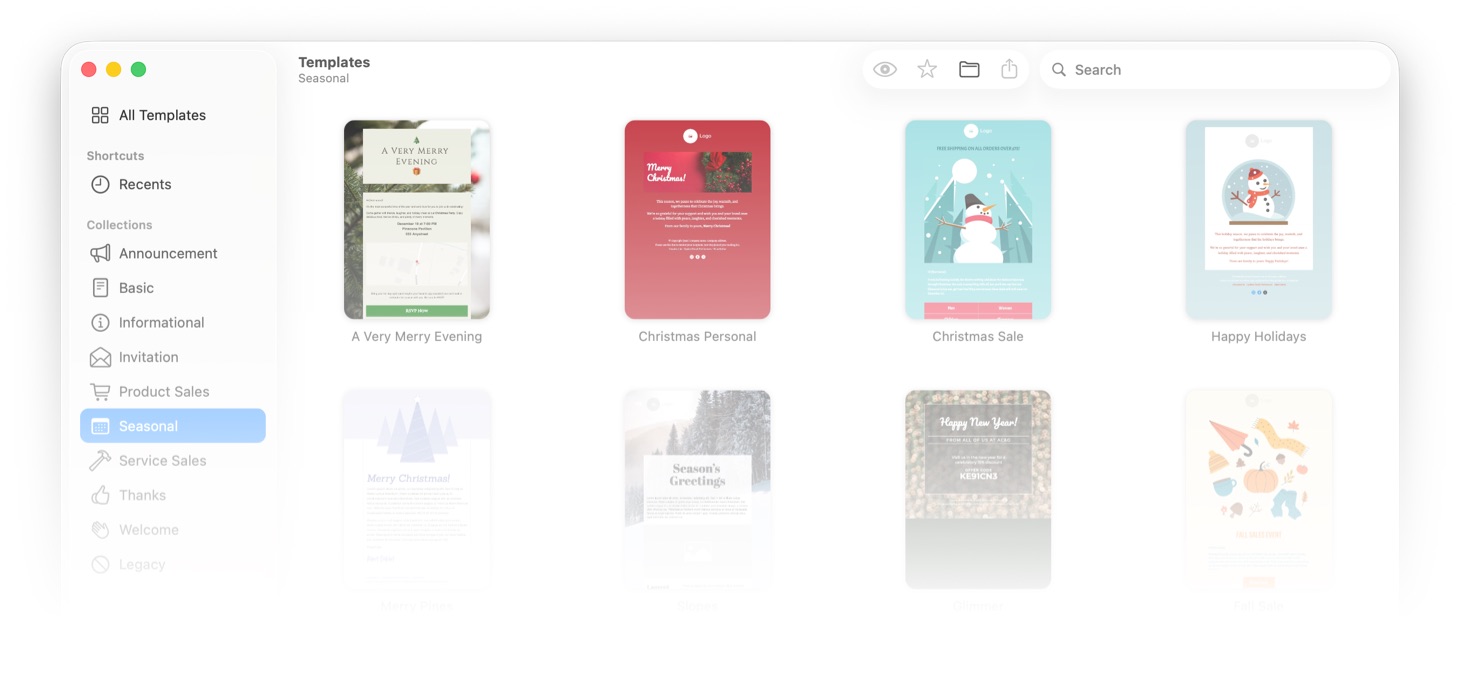
Just in time for the season, we’ve added a handful of new Christmas- and Holiday-themed templates to Direct Mail. Check them out under the Seasonal section of the template browser.
Anything Else?
Yes! This update also squashes several annoying bugs and brings other quality-of-life improvements. Check out the release notes for more information.
How to Update
Updating to Direct Mail 7.8 is free and easy-to-do. In fact, in most cases you won’t have to do anything. Your copy of Direct Mail should automatically update itself over the next few days. If you’d like to get the update right away, just choose Direct Mail > Check for Software Update from the menu bar at the top of your screen.
Thank you for being our valued customer and thank you for the great feedback you have sent us—please send more! It has been a wonderful year and we look forward to good things in 2026. Our sincere hope is that you have a wonderful Christmas and holiday season! See you next year!
