
Today we’re excited to introduce Direct Mail version 8.3, a major update with new tools to help you send with confidence, learn more from every campaign, and stay on top of your email marketing.
There’s a lot packed into this update, including an all-new Link Review, better inbox and social previews, powerful new ways to compare campaign performance, a calendar view for your reports, and improvements throughout the app for macOS 27 Golden Gate.
Send with Confidence
Once an email campaign goes out, there’s no taking it back. Direct Mail 8.3 gives you new ways to double-check your work and see your campaign the way your recipients will before you hit Send.
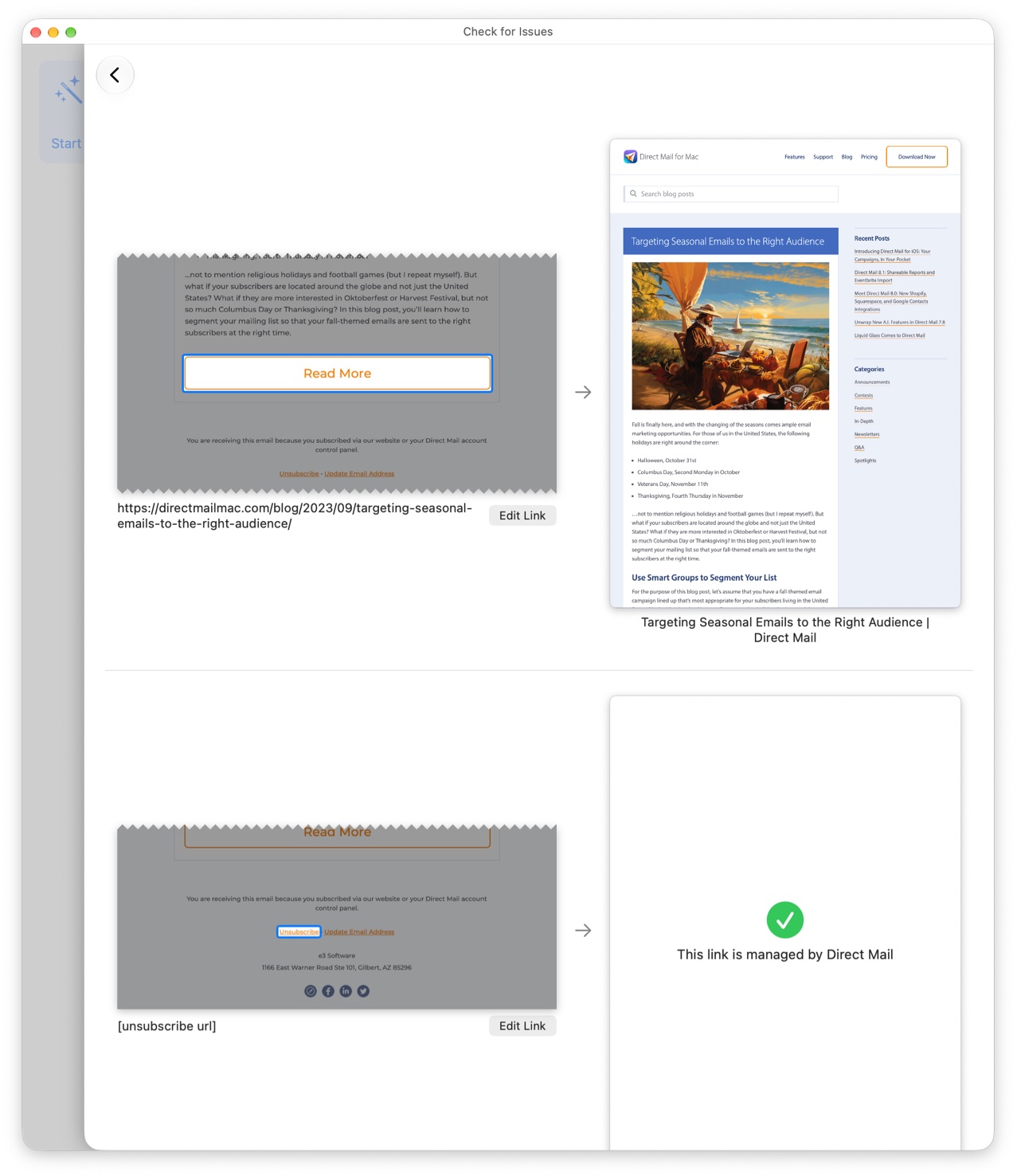
The new Link Review feature makes it easy to check every link in your message and make sure it goes to the right place. Instead of clicking through your message one link at a time, Link Review brings them together in one place so you can quickly verify that each one loads the webpage you intended.
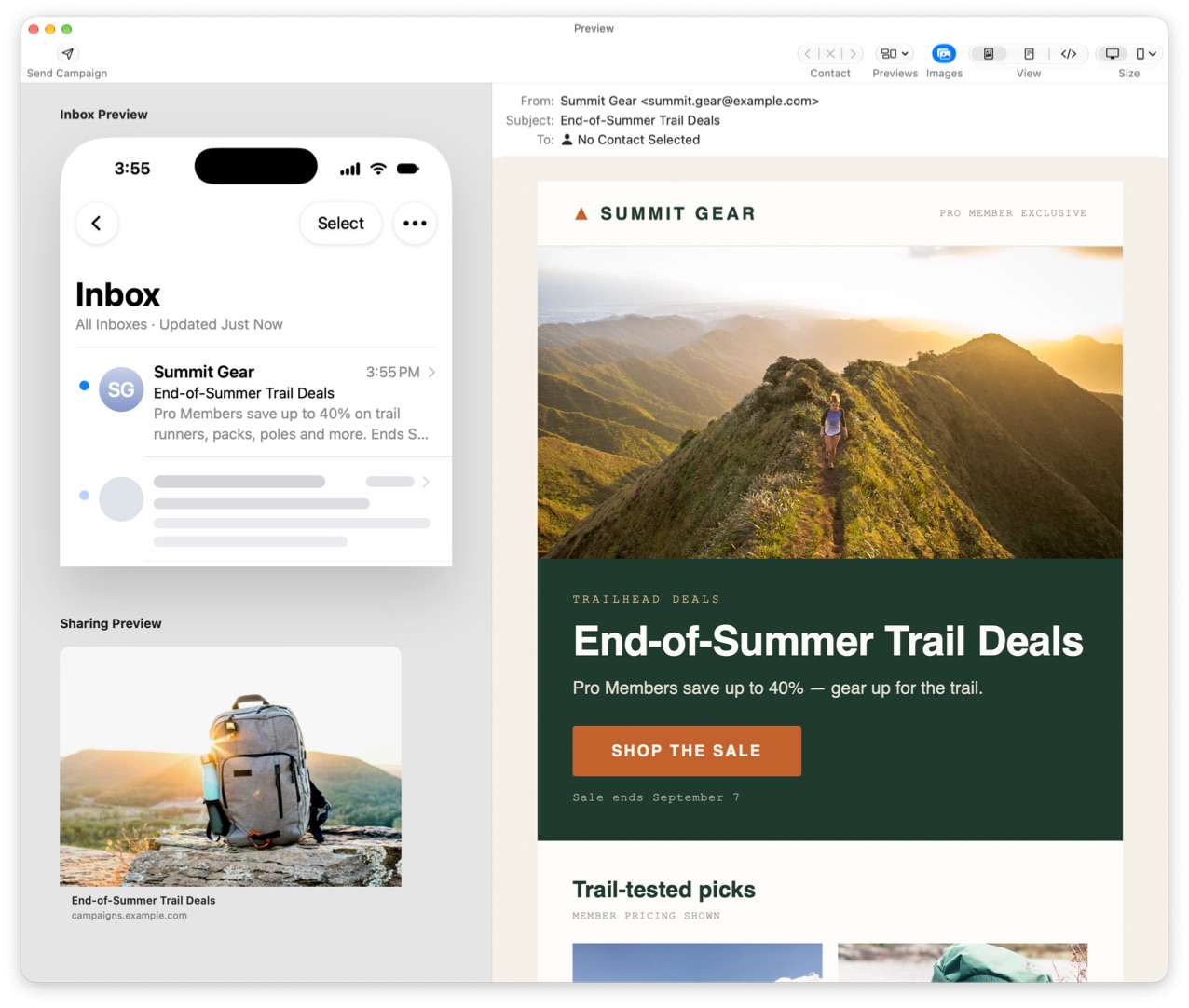
We’ve also expanded the Preview window to show something that matters before anyone even opens your email: how it looks in the inbox. You can now preview your subject line, sender, and preview text just as they’ll appear in an iPhone inbox. It’s an easy way to see whether your campaign makes a good first impression alongside all the other messages competing for attention.
Direct Mail can also show you how your campaign will look when someone shares it on Facebook, LinkedIn, iMessage, Slack, or WhatsApp. The new Social Preview lets you see the image, title, and other information people will see when a link to your campaign is shared.
And AI Review has gotten a significant upgrade. It’s smarter than before and much faster, making it more useful as a final set of eyes on your writing before your campaign goes out.
Together, these tools help you catch problems, polish the details, and know what your recipients are going to see before you click Send.
Learn More from Every Campaign
Campaign reports tell you what happened. Comparing campaigns helps you understand what’s working. Direct Mail 8.3 completely redesigns campaign comparisons to make it easier to see how your emails stack up against one another and over time.
An easy-to-scan heat map highlights the campaigns that performed best and worst across different metrics, so patterns stand out without having to study a table full of numbers.
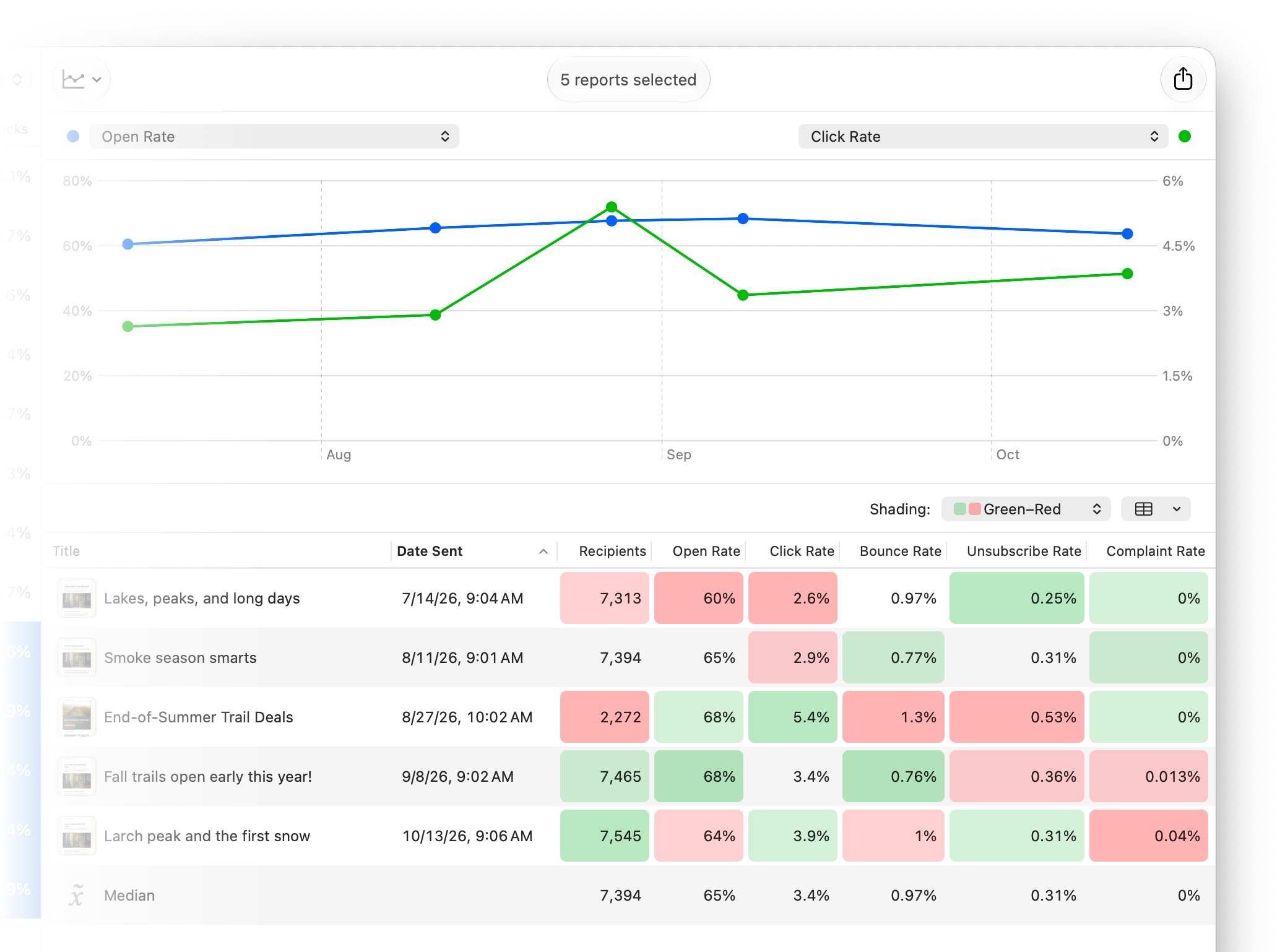
There’s also a new comparison chart that lets you plot campaign metrics by send date and see how your results are changing over time. Or, compare open and click rates during the hours and days after sending to see how quickly your audience responds.
New metrics, including click-to-open rate, give you additional ways to evaluate performance. We’ve also improved how Direct Mail calculates subscriber engagement so that engagement levels do a better job of reflecting how recently and meaningfully people have interacted with your campaigns.
The goal is to make it easier to move beyond looking at one campaign in isolation. See what’s outperforming, spot trends across your sending history, and put those insights to work in your next campaign.
Stay on Top of Your Email Marketing
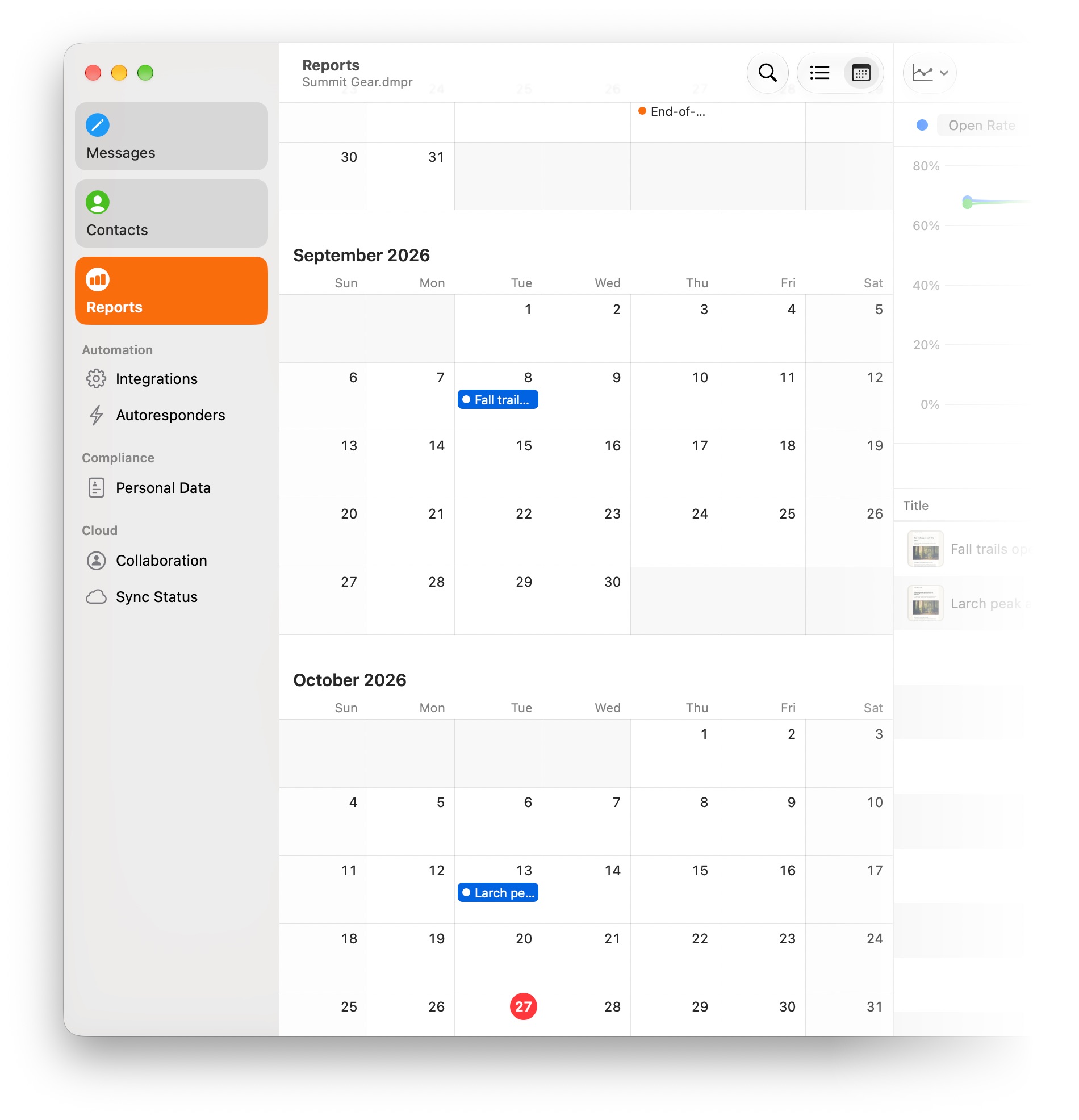
Email marketing works best when you keep in regular contact. Direct Mail 8.3 adds a new calendar view to campaign reports that gives you a bird’s-eye view of when you’ve been reaching your audience.
See what you’ve already sent alongside campaigns scheduled for the future. It’s a simple way to keep an eye on your sending cadence, spot gaps, and make sure your next campaign is going out when you want it to.
This release also includes a long list of improvements that make Direct Mail faster and more dependable day to day. Working with large contact lists is faster, contact and list statistics appear sooner, and we’ve made substantial improvements to cloud syncing and project reliability.
And Direct Mail 8.3 includes support and refinements for macOS 27 Golden Gate, so it continues to feel right at home on the latest versions of macOS, and even on touchscreen Macs.
As always, we’ve also squashed a long list of bugs and made dozens of smaller improvements throughout the app. Check out the release notes for the complete list.
Available Now
Direct Mail 8.3 is available now as a free update.
In most cases, your copy of Direct Mail should update automatically over the next few days. If you’d like to get the update right away, choose Direct Mail > Check for Software Update from the menu bar at the top of your screen.
