Direct Mail 8.3: Send with Confidence, Learn from Every Campaign

Today we’re excited to introduce Direct Mail version 8.3, a major update with new tools to help you send with confidence, learn more from every campaign, and stay on top of your email marketing.

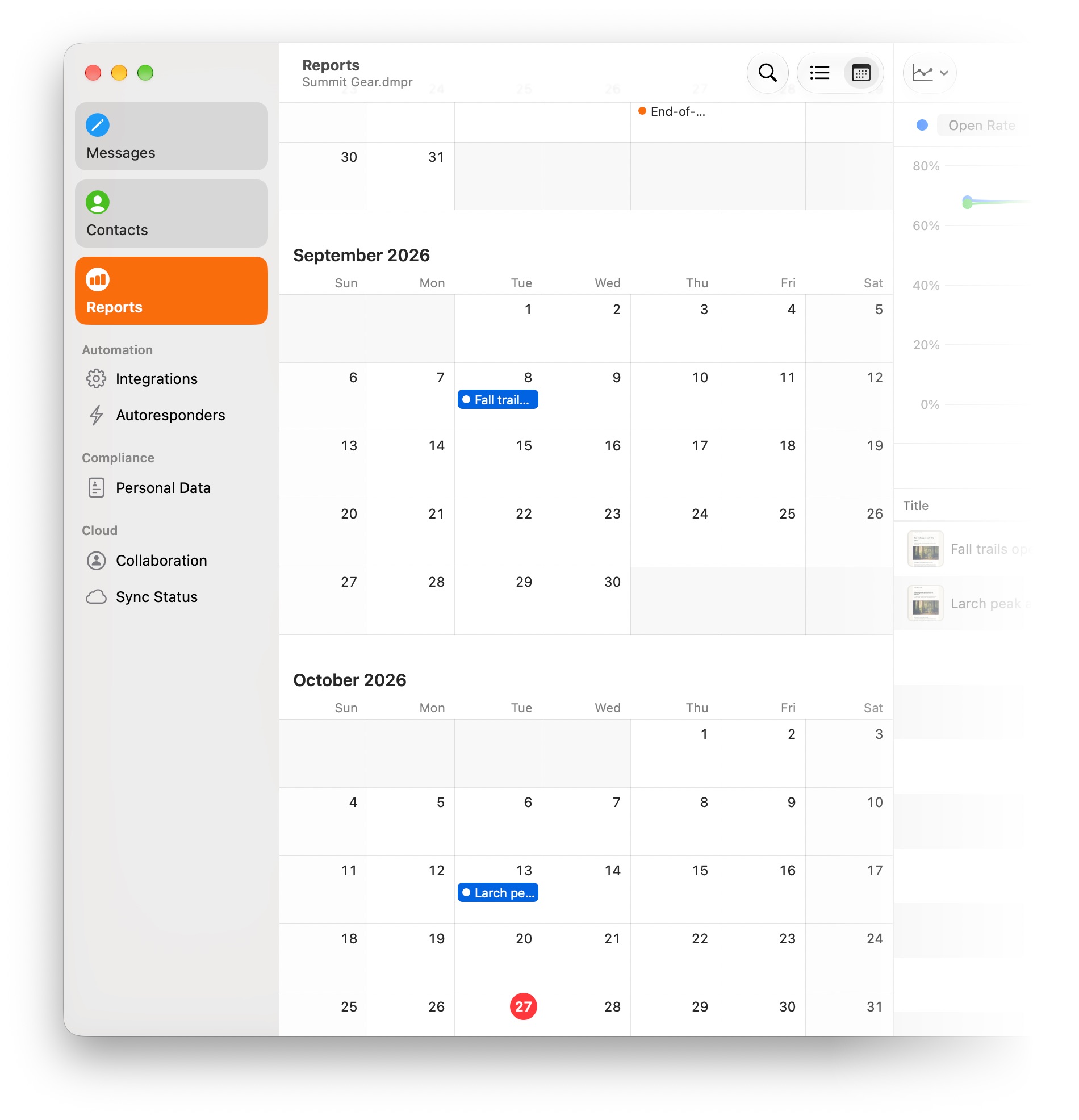
There’s a lot packed into this update, including an all-new Link Review, better inbox and social previews, powerful new ways to compare campaign performance, a calendar view for your reports, and improvements throughout the app for macOS 27 Golden Gate.

Send with Confidence

Once an email campaign goes out, there’s no taking it back. Direct Mail 8.3 gives you new ways to double-check your work and see your campaign the way your recipients will before you hit Send.

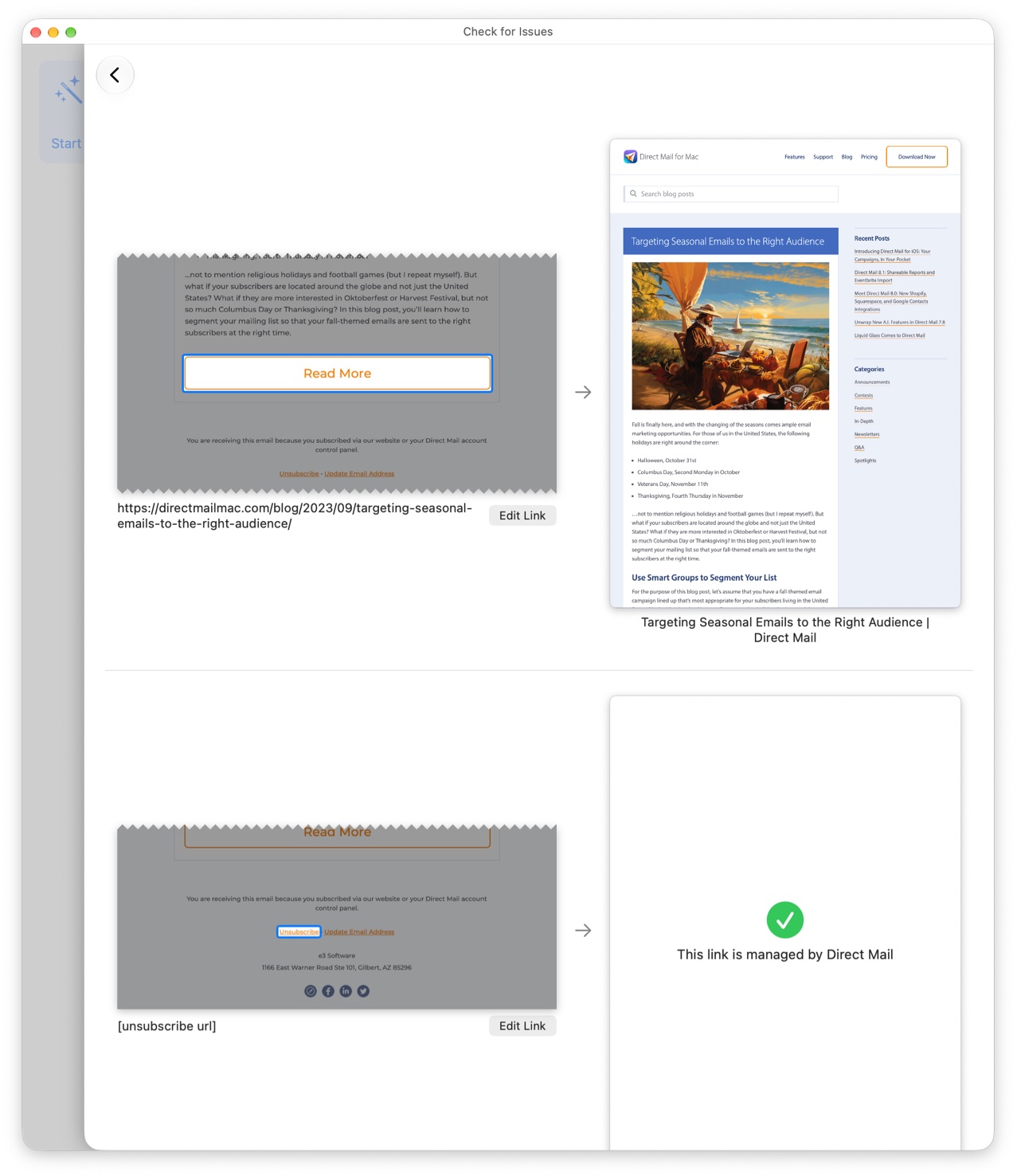
The new Link Review feature makes it easy to check every link in your message and make sure it goes to the right place. Instead of clicking through your message one link at a time, Link Review brings them together in one place so you can quickly verify that each one loads the webpage you intended.
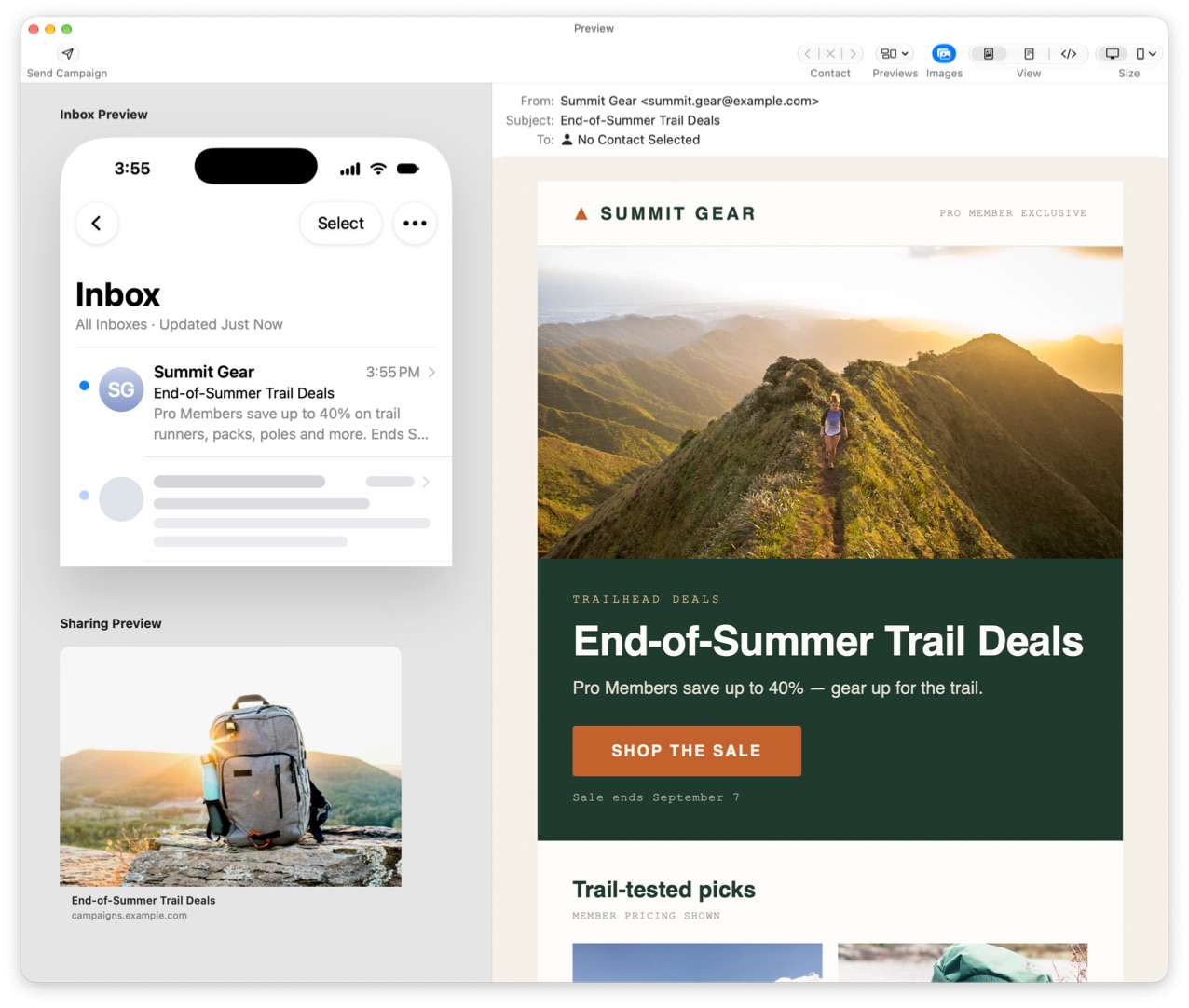
We’ve also expanded the Preview window to show something that matters before anyone even opens your email: how it looks in the inbox. You can now preview your subject line, sender, and preview text just as they’ll appear in an iPhone inbox. It’s an easy way to see whether your campaign makes a good first impression alongside all the other messages competing for attention.

Direct Mail can also show you how your campaign will look when someone shares it on Facebook, LinkedIn, iMessage, Slack, or WhatsApp. The new Social Preview lets you see the image, title, and other information people will see when a link to your campaign is shared.
And AI Review has gotten a significant upgrade. It’s smarter than before and much faster, making it more useful as a final set of eyes on your writing before your campaign goes out.

Together, these tools help you catch problems, polish the details, and know what your recipients are going to see before you click Send.

Learn More from Every Campaign

Campaign reports tell you what happened. Comparing campaigns helps you understand what’s working. Direct Mail 8.3 completely redesigns campaign comparisons to make it easier to see how your emails stack up against one another and over time.

An easy-to-scan heat map highlights the campaigns that performed best and worst across different metrics, so patterns stand out without having to study a table full of numbers.
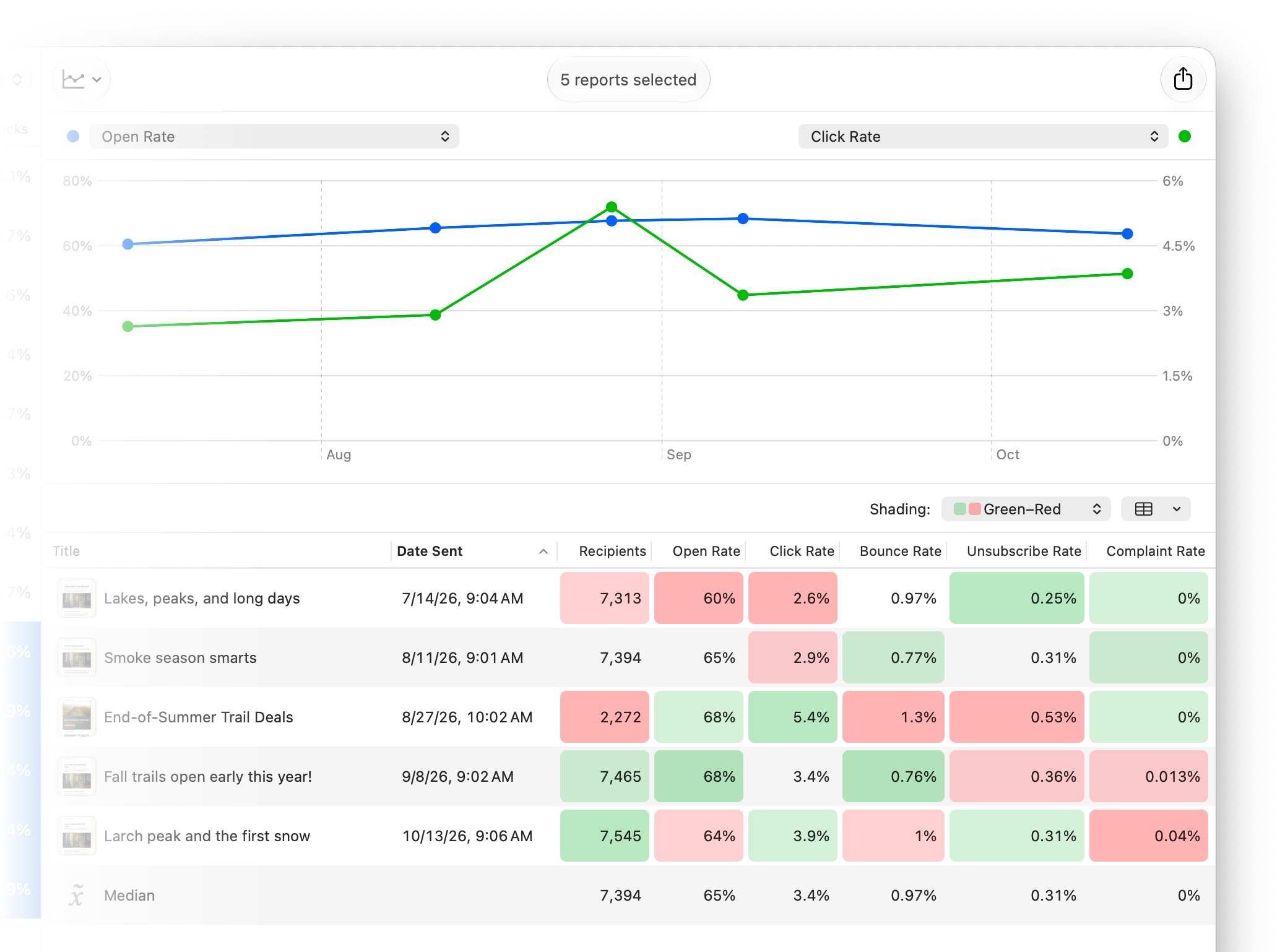
There’s also a new comparison chart that lets you plot campaign metrics by send date and see how your results are changing over time. Or, compare open and click rates during the hours and days after sending to see how quickly your audience responds.

New metrics, including click-to-open rate, give you additional ways to evaluate performance. We’ve also improved how Direct Mail calculates subscriber engagement so that engagement levels do a better job of reflecting how recently and meaningfully people have interacted with your campaigns.

The goal is to make it easier to move beyond looking at one campaign in isolation. See what’s outperforming, spot trends across your sending history, and put those insights to work in your next campaign.

Stay on Top of Your Email Marketing

Email marketing works best when you keep in regular contact. Direct Mail 8.3 adds a new calendar view to campaign reports that gives you a bird’s-eye view of when you’ve been reaching your audience.

See what you’ve already sent alongside campaigns scheduled for the future. It’s a simple way to keep an eye on your sending cadence, spot gaps, and make sure your next campaign is going out when you want it to.
This release also includes a long list of improvements that make Direct Mail faster and more dependable day to day. Working with large contact lists is faster, contact and list statistics appear sooner, and we’ve made substantial improvements to cloud syncing and project reliability.

And Direct Mail 8.3 includes support and refinements for macOS 27 Golden Gate, so it continues to feel right at home on the latest versions of macOS, and even on touchscreen Macs.

As always, we’ve also squashed a long list of bugs and made dozens of smaller improvements throughout the app. Check out the release notes for the complete list.

Available Now

Direct Mail 8.3 is available now as a free update.

In most cases, your copy of Direct Mail should update automatically over the next few days. If you’d like to get the update right away, choose Direct Mail > Check for Software Update from the menu bar at the top of your screen.

Introducing Direct Mail for iOS: Your Campaigns, In Your Pocket

Today we’re excited to introduce Direct Mail for iOS, a brand-new companion app for iPhone and iPad that keeps you connected to your email campaigns wherever you go.

Direct Mail for Mac is still where you design your messages, manage your mailing lists, and hit send. Direct Mail for iOS is what comes with you afterward—so you can keep an eye on a campaign, share the results with a client, or make a last-minute change without running back to your desk.

Stay Informed, Wherever You Go

Sending a campaign usually means checking in on it. Now your iPhone does the checking for you.

You’ll get a notification the moment a campaign finishes sending, when new subscribers join your list, and when a campaign needs your attention. You choose exactly which notifications you want—including new-subscriber alerts for each individual sign-up form, so you can follow the sign-up forms that matter most and stay quiet about the rest.

Make a Last-Minute Change

Plans change. A sale gets pushed back, an event moves to next week, a typo turns up in a subject line at nine o’clock at night.

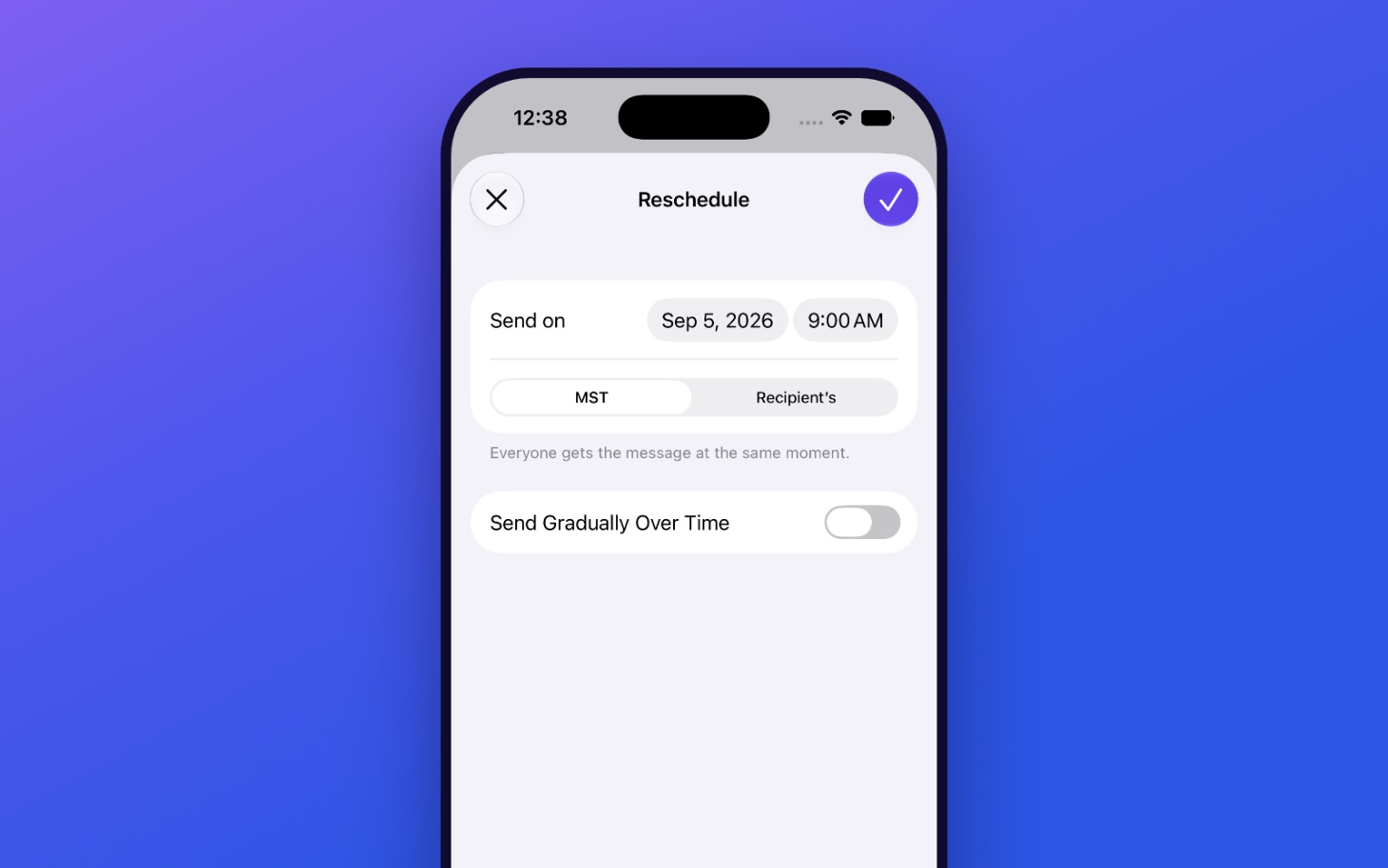
If a scheduled campaign needs to wait, you can cancel or reschedule it right from your iPhone. No need to run back to your Mac.

Share Reports and Messages

Your campaign reports are packed with useful information—opens, clicks, delivery results, engagement trends—and the people who want to see it aren’t always sitting next to you.

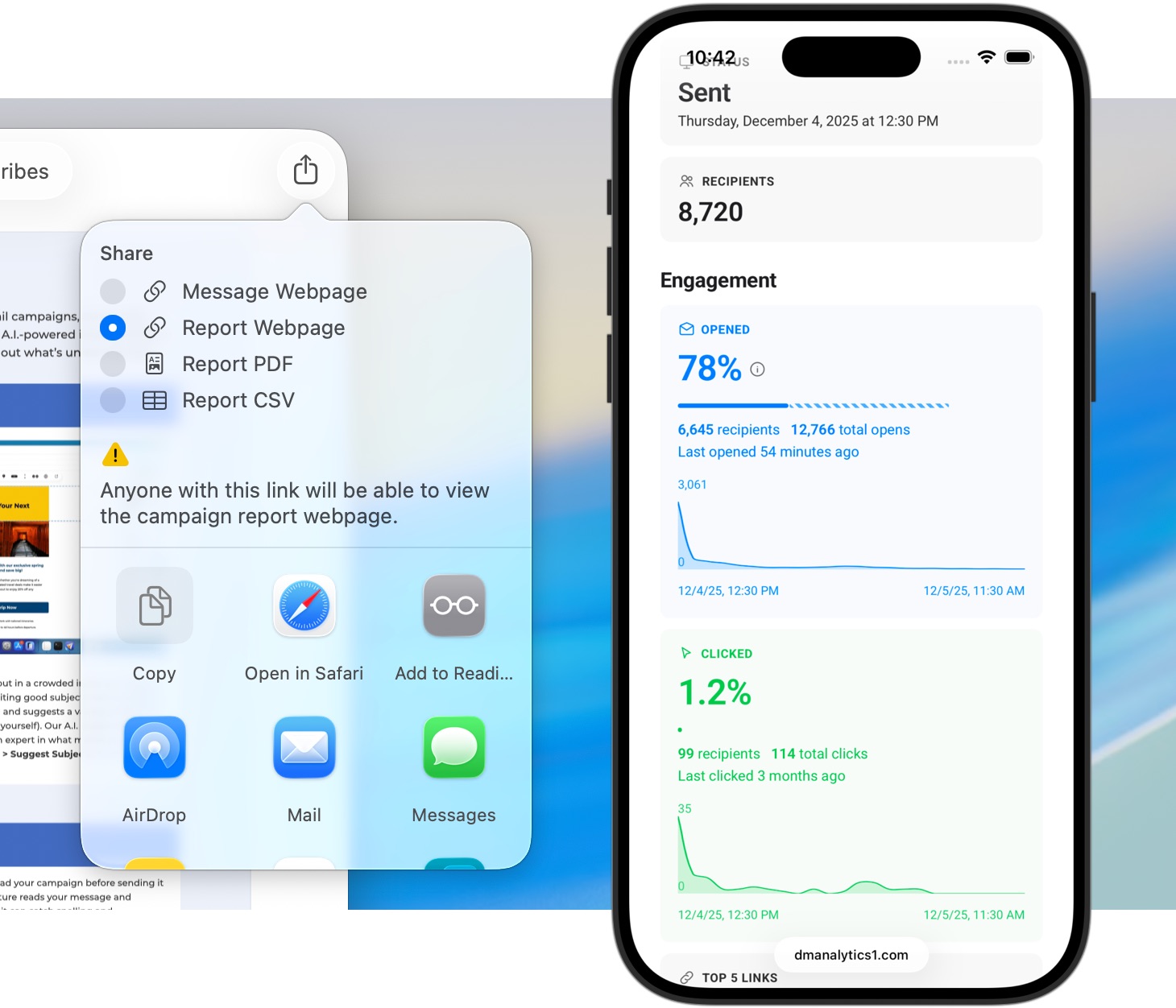
Want to show a client how their newsletter performed? Loop in a teammate? Send a manager the numbers on your way into a meeting? You can share a campaign report or a message straight from the app. Your messages render beautifully on iPhone, exactly as your recipients see them, so what you pass along is the real thing—not a screenshot of a screenshot.

Watch Your Audience Grow

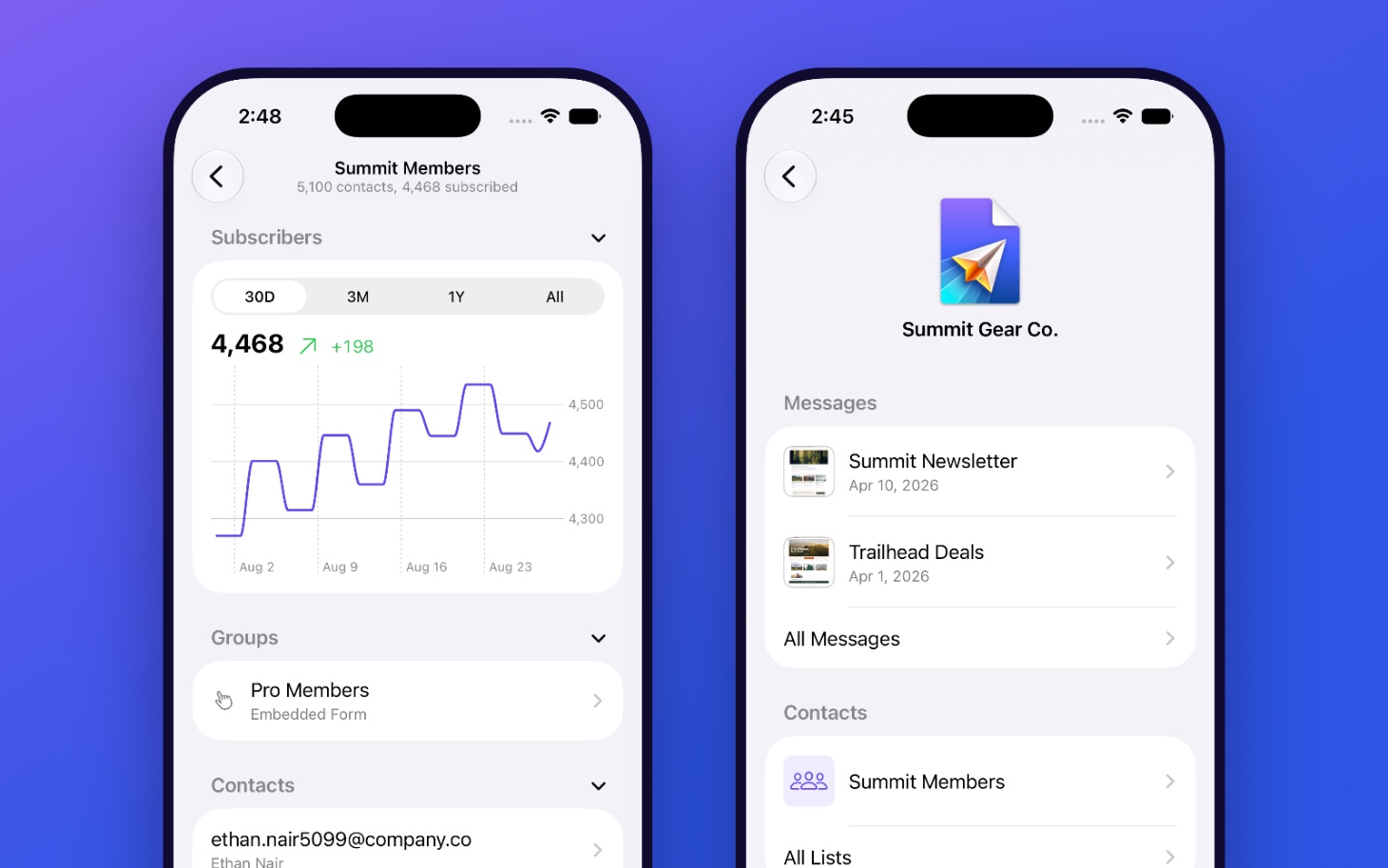
Direct Mail for iOS gives you a clear picture of your mailing lists, with subscriber growth charts and sign-up funnel statistics that show you where your audience is coming from. You can browse your lists, groups, and contacts, too—everything stays in sync with your Mac.

Every project on your account is organized just the way it is on your desktop. And everything you’ve viewed is cached on your iPhone, so it opens instantly, even offline.

Right at Home on iPhone

We built Direct Mail for iOS to be fast, native, and to take full advantage of the Apple technologies you already use every day.

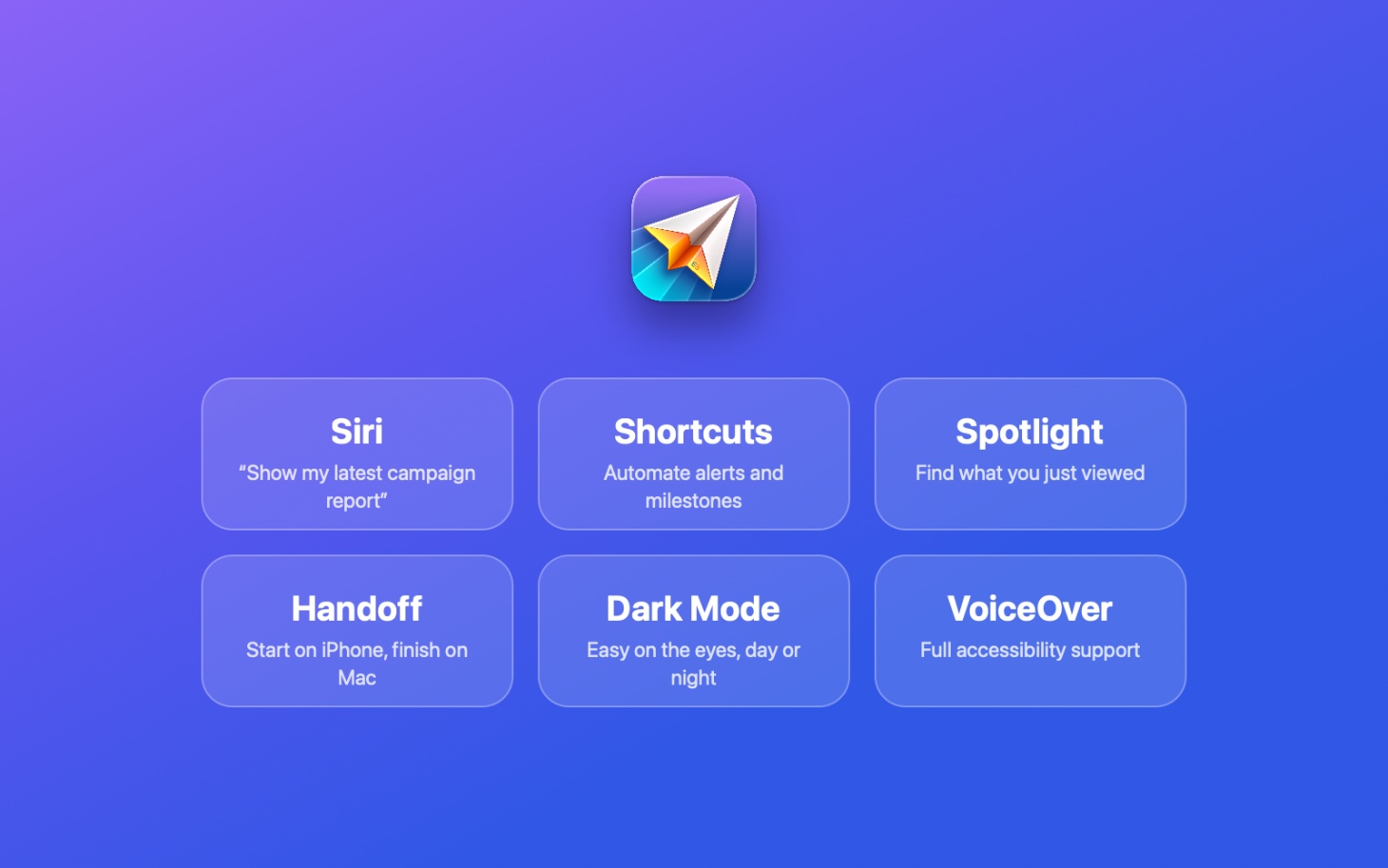
Ask Siri to show you your latest campaign report. Build a Shortcut that notifies you when you cross a thousand subscribers. Turn up what you were just looking at in Spotlight. Start something on your iPhone and finish it on your Mac with Handoff. Dark Mode keeps things easy on the eyes, day or night, and full VoiceOver and accessibility support means the app works the way that works best for you.

Available Now

Direct Mail for iOS is available now on the App Store. Download it, sign in with your Direct Mail account, and stay connected to every campaign you send.

Direct Mail for iOS requires a Direct Mail for Mac account. Campaign creation, mailing-list editing, and sending are handled by Direct Mail for Mac.

Share Your Thoughts

We’d love to know what you think about Direct Mail for iOS. Please send us a note and let us know how the app could work even better for you.

P.S. We are retiring our old iOS app, Stamps. If you have it installed on your phone, you’ll see it automatically updated to Direct Mail for iOS.

Direct Mail 8.1: Shareable Reports and Eventbrite Import

Today we’re excited to introduce Direct Mail version 8.1, a helpful update that makes it easier to share campaign results and expands our integrations to include Eventbrite.

Share Campaign Reports as a Webpage

Your campaign reports are packed with useful information: opens, clicks, delivery results, engagement trends, and more. But sometimes the people who need to see those results are not the same people who use Direct Mail.

Direct Mail 8.1 solves that problem with report webpages. You can now share a campaign report as a live-updating webpage that anyone with the link can view in their browser—no Direct Mail app or Mac required. It’s a convenient way to keep clients, teammates, managers, or other stakeholders informed without exporting screenshots, building a PDF, or asking anyone to install software.

Import Attendees from Eventbrite

If you use Eventbrite to host classes, conferences, fundraisers, performances, workshops, or other events, Direct Mail 8.1 makes it easier to turn attendee information into useful follow-up campaigns.

You can now import attendee information directly from Eventbrite, including names, email addresses, contact information, ticketing information, and customer questions and answers. That means less time exporting spreadsheets and more time sending relevant, timely emails to the people who attended—or signed up for—your event.

Want to thank attendees after an event? Promote the next session? Send resources, reminders, surveys, or special offers? Direct Mail helps you bring your Eventbrite audience into your mailing list and keep the conversation going.

Available Now

Direct Mail 8.1 is available now. Update today to start sharing live campaign reports and importing Eventbrite attendees right into Direct Mail.

In most cases, your copy of Direct Mail should update automatically over the next few days. If you’d like to get the update right away, choose Direct Mail > Check for Software Update from the menu bar at the top of your screen.

Meet Direct Mail 8.0: New Shopify, Squarespace, and Google Contacts Integrations

Today we’re excited to introduce Direct Mail version 8.0, a powerful update that makes it even easier to grow your business with easy-to-use email marketing.

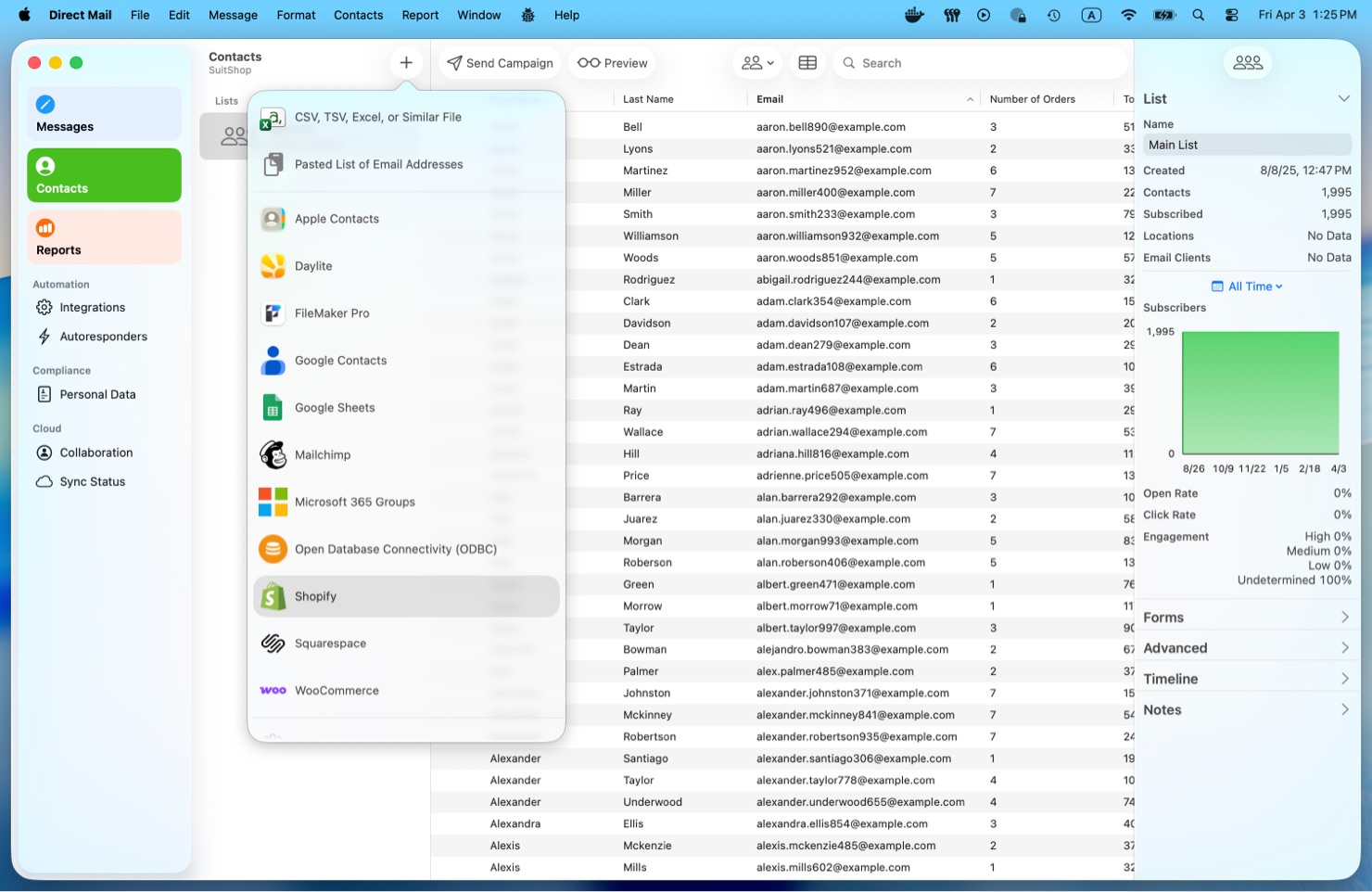
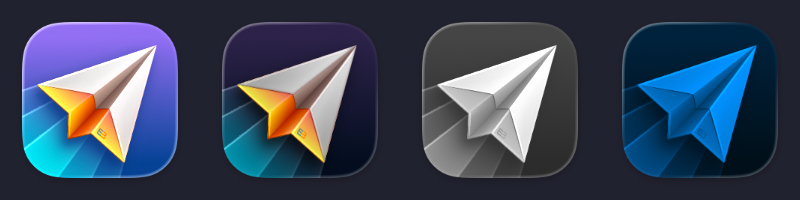
With new integrations for Shopify, Squarespace, and Google Contacts, Direct Mail helps you bring the people and content you already work with into one place—right on your Mac. We’ve also refreshed the app icon with a beautiful new look inspired by macOS Tahoe’s Liquid Glass design language.

Sell More with Shopify and Squarespace

If you run your business on Shopify or Squarespace, Direct Mail 8.0 makes it simple to turn your store data into more effective email campaigns.

You can now import your customers—or prospective customers—directly from Shopify and Squarespace into Direct Mail. That means less time exporting spreadsheets and more time creating campaigns that actually drive results.

Want to encourage repeat purchases? Re-engage past buyers? Reach your most valuable customers with a special offer? Direct Mail gives you the tools to build focused, targeted campaigns that feel more relevant to the people receiving them.

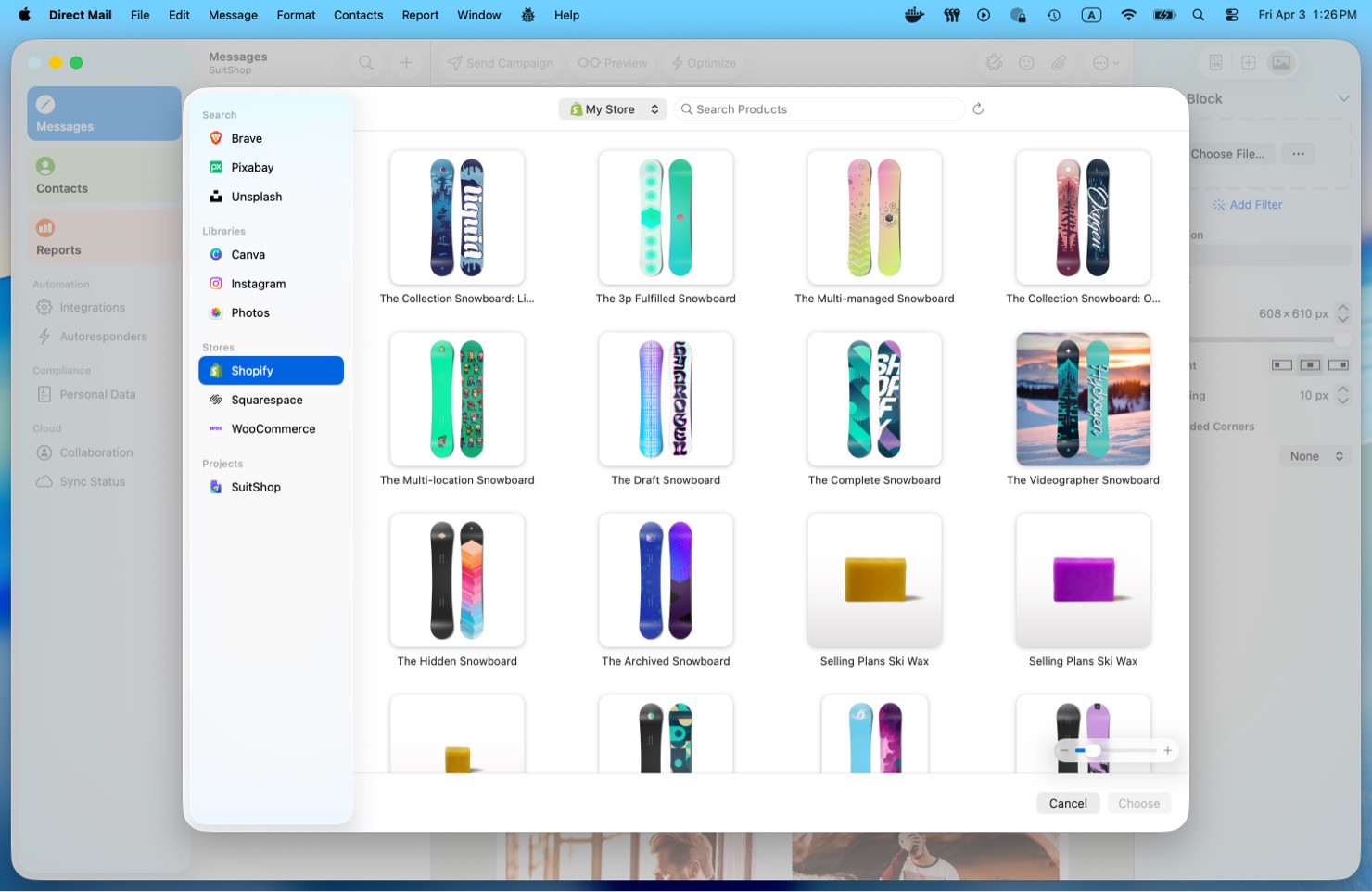
And there’s more: Direct Mail can also import your product photos from Shopify and Squarespace. That makes it incredibly easy to design polished, on-brand emails using the same visuals that already power your store. Whether you’re announcing a new product, featuring seasonal favorites, or sending a simple promotion, your images are right there when you need them.

Reach Leads Faster with Google Contacts

Direct Mail 8.0 also adds support for Google Contacts.

If you use Google Contacts to keep track of leads, prospects, clients, or other business relationships, you can now bring those contacts into Direct Mail with just a few clicks. It’s a handy way to turn your contact list into an outreach list—perfect for newsletters, announcements, follow-ups, or other email campaigns.

Instead of juggling multiple apps and manual exports, you can move from contact management to campaign creation much more smoothly.

A Fresh New Icon for macOS Tahoe

Version 8.0 also includes a refreshed app icon designed to feel right at home on macOS Tahoe.

Inspired by Tahoe’s new Liquid Glass aesthetic, the updated icon feels more vibrant, more modern, and more at home alongside the rest of your Mac. It’s a small detail, but one we think longtime Mac users will appreciate.

Available Now

Direct Mail 8.0 is available now. Update today and start creating smarter, more beautiful email campaigns with your store data, your contacts, and your favorite email marketing app.

Unwrap New A.I. Features in Direct Mail 7.8

Just in time for your holiday email campaigns, Direct Mail version 7.8 delivers a host of helpful A.I.-powered improvements that we hope you will love. Check out what’s under the tree:

A.I. Subject Line Suggestions

Engaging subject lines help your email stand out in a crowded inbox and make a huge difference in boosting open rates, but writing good subject lines is hard! Our new Suggest Subject feature reads your email and suggests a variety of different options for you to choose from (or further edit yourself). Our A.I. assistant has analyzed millions of email campaigns and is an expert in what makes a good subject line. Give it a try by choosing Optimize > Suggest Subject… from the toolbar.

Eagle-eyed readers will have spotted the Suggest Preview Text feature, as well. Preview Text (or a “pre-header”) is the short snippet of text that appears under or next to the subject line in your recipient’s inbox. It represents another opportunity to entice your recipient to open the email. The Suggest feature can give you great ideas for what to put in this space.

A.I. Proofreading

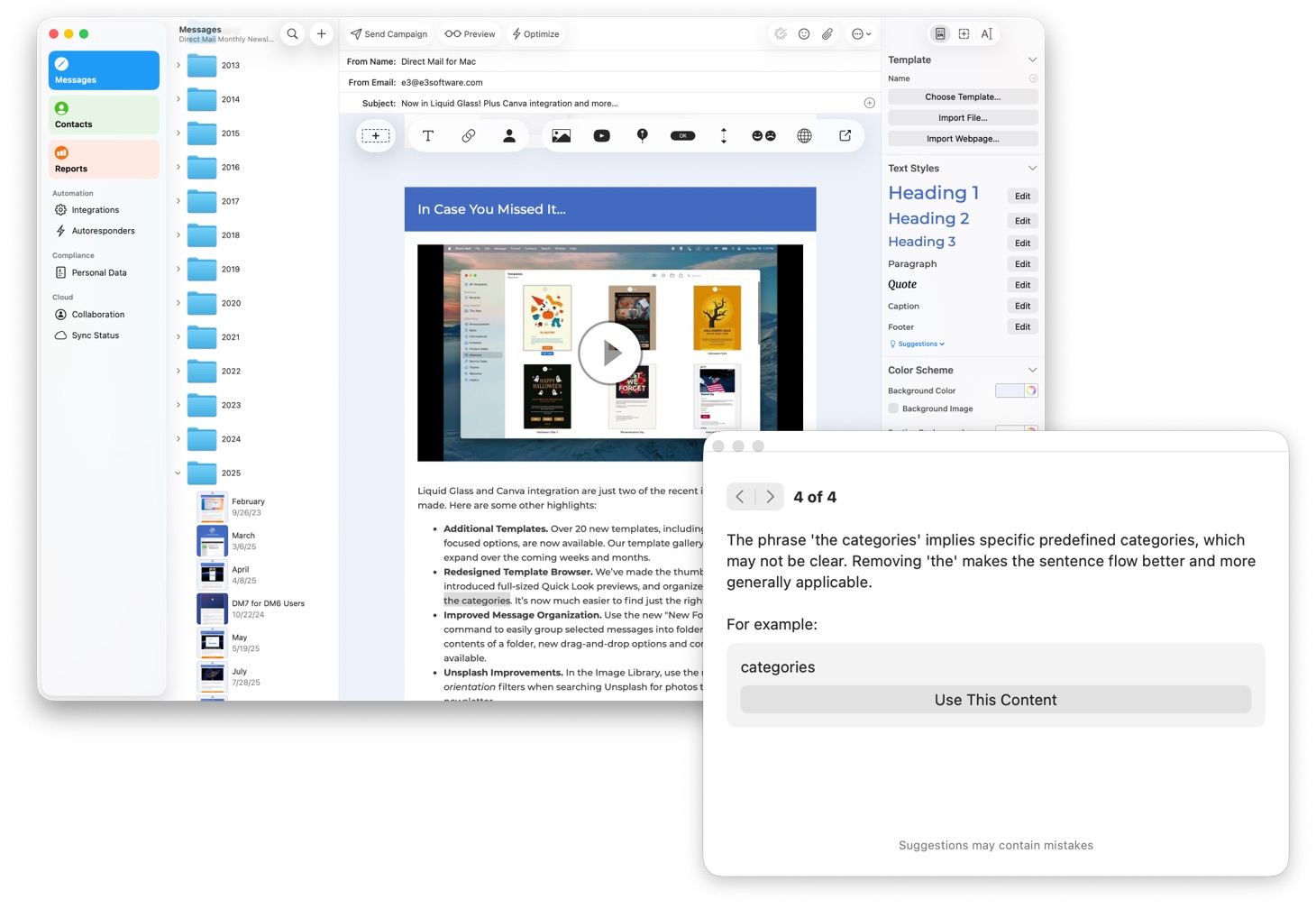
Ever wished for a second set of eyes to proofread your campaign before sending it out? Our Suggest Content Improvements feature reads your message and suggests ways it could be better. For example, it can catch spelling and grammatical mistakes, factual errors, and suggest adjustments to the tone or content of your message. As always, you stay in control and can accept or reject the various edits that are proposed.

Automatic Image Descriptions

The images that you use in your email can carry with them text descriptions, although most people usually forget to add them (we get it—it’s one more thing to remember!). However, there are some important benefits to adding in those descriptions:

  • Blind or low-vision users often use screen-reading technology (like VoiceOver) to read their email. When a screen reader encounters an image with a description, it can read it to the user instead of leaving them guessing at what the image is.
  • Some email clients do not display images by default for privacy, corporate policy, or data usage reasons. Text descriptions help your recipient understand the email even if the image is blocked.
  • Some spam filters look for “red flags” to identify junk mail—like large images without any descriptions. Accurate descriptions lend credibility to your message and signal that you are a responsible sender.

In Direct Mail 7.8, you can now generate descriptions for your images with just one click. Select your image, then click the “Suggest” button in the inspector. An A.I. model analyzes the image and comes up with a concise description in just a few seconds.

Image Playground

Apple’s Image Playground is an A.I. feature available on newer Macs that lets you to instantly create playful, stylized illustrations and graphics based on simple text prompts or photos from your library. It can be a fun and effective way to quickly create unique, copyright-free images—such as a custom caricature of your team or thematic graphics—that add a human, creative touch to your newsletter without the cost or time required for professional design.

To use Image Playground, select an image or image placeholder in your email, then click the “…” button in the inspector and choose “Image Playground”.

Holiday-Themed Templates

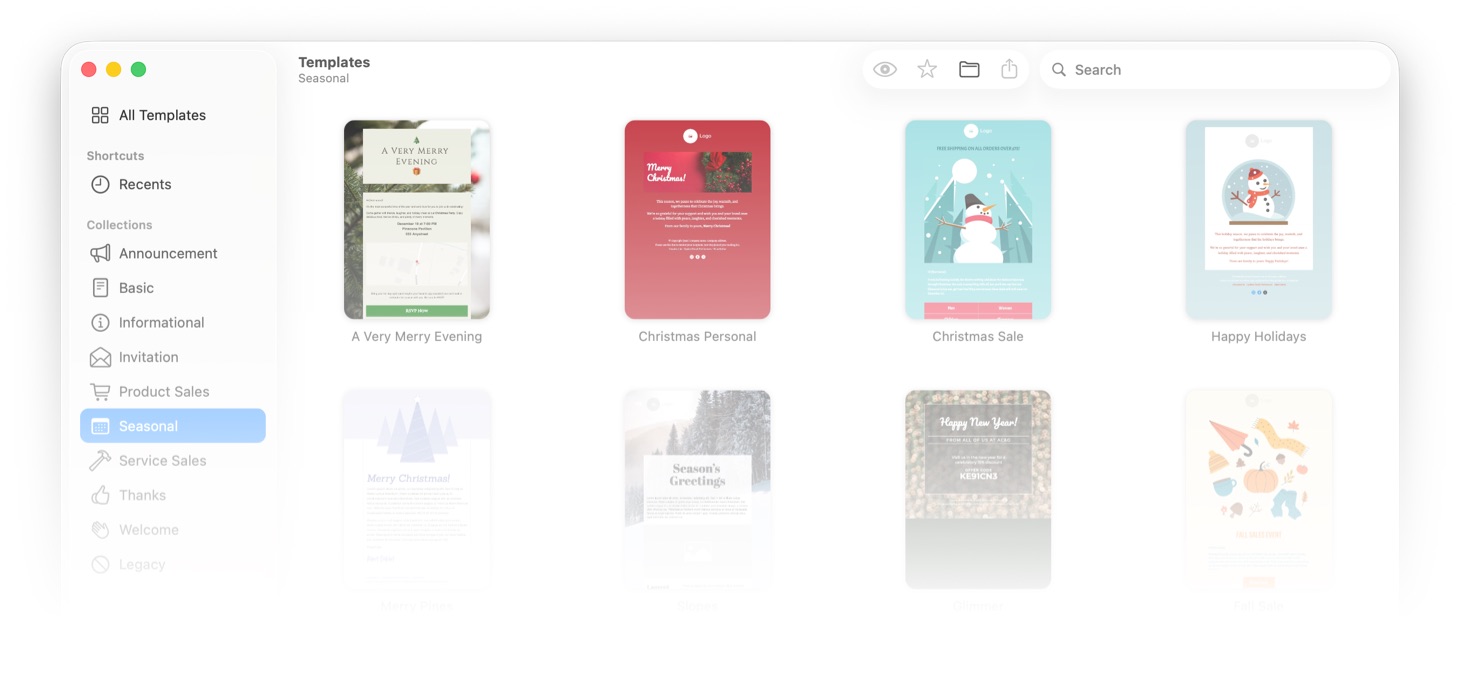
Just in time for the season, we’ve added a handful of new Christmas- and Holiday-themed templates to Direct Mail. Check them out under the Seasonal section of the template browser.

Anything Else?

Yes! This update also squashes several annoying bugs and brings other quality-of-life improvements. Check out the release notes for more information.

How to Update

Updating to Direct Mail 7.8 is free and easy-to-do. In fact, in most cases you won’t have to do anything. Your copy of Direct Mail should automatically update itself over the next few days. If you’d like to get the update right away, just choose Direct Mail > Check for Software Update from the menu bar at the top of your screen.

Thank you for being our valued customer and thank you for the great feedback you have sent us—please send more! It has been a wonderful year and we look forward to good things in 2026. Our sincere hope is that you have a wonderful Christmas and holiday season! See you next year!

Page 1 of 30